OPNSense
Setup
Requirements
- OPNsense
- A tunnel of either type GRE or Wireguard at NovaCloud-Hosting
- IPAPI opened
- Some basic understanding of operating OPNSense, otherwise this guide is not for you!
Create the tunnel
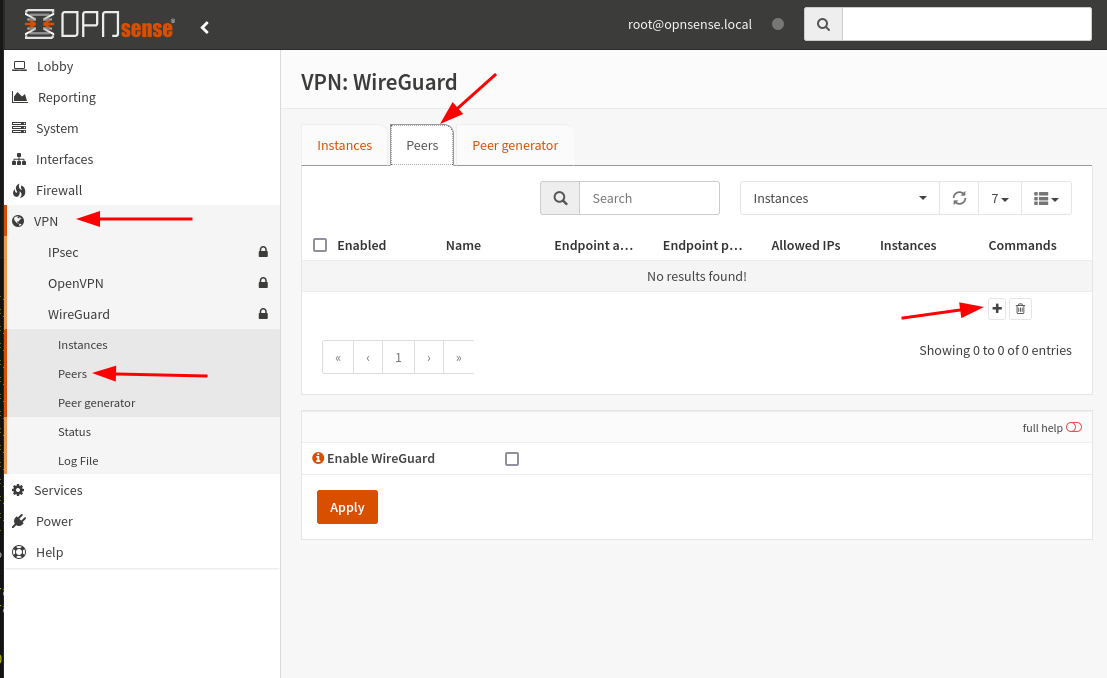
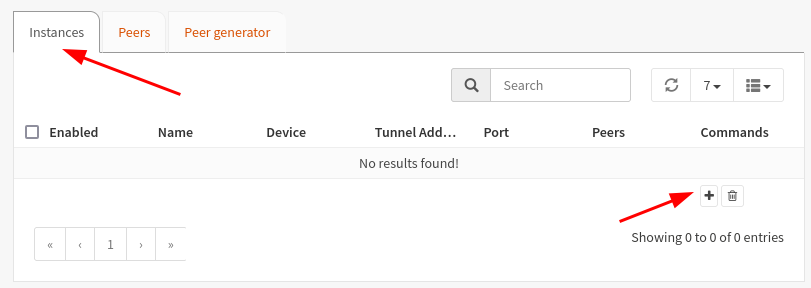
Wireguard
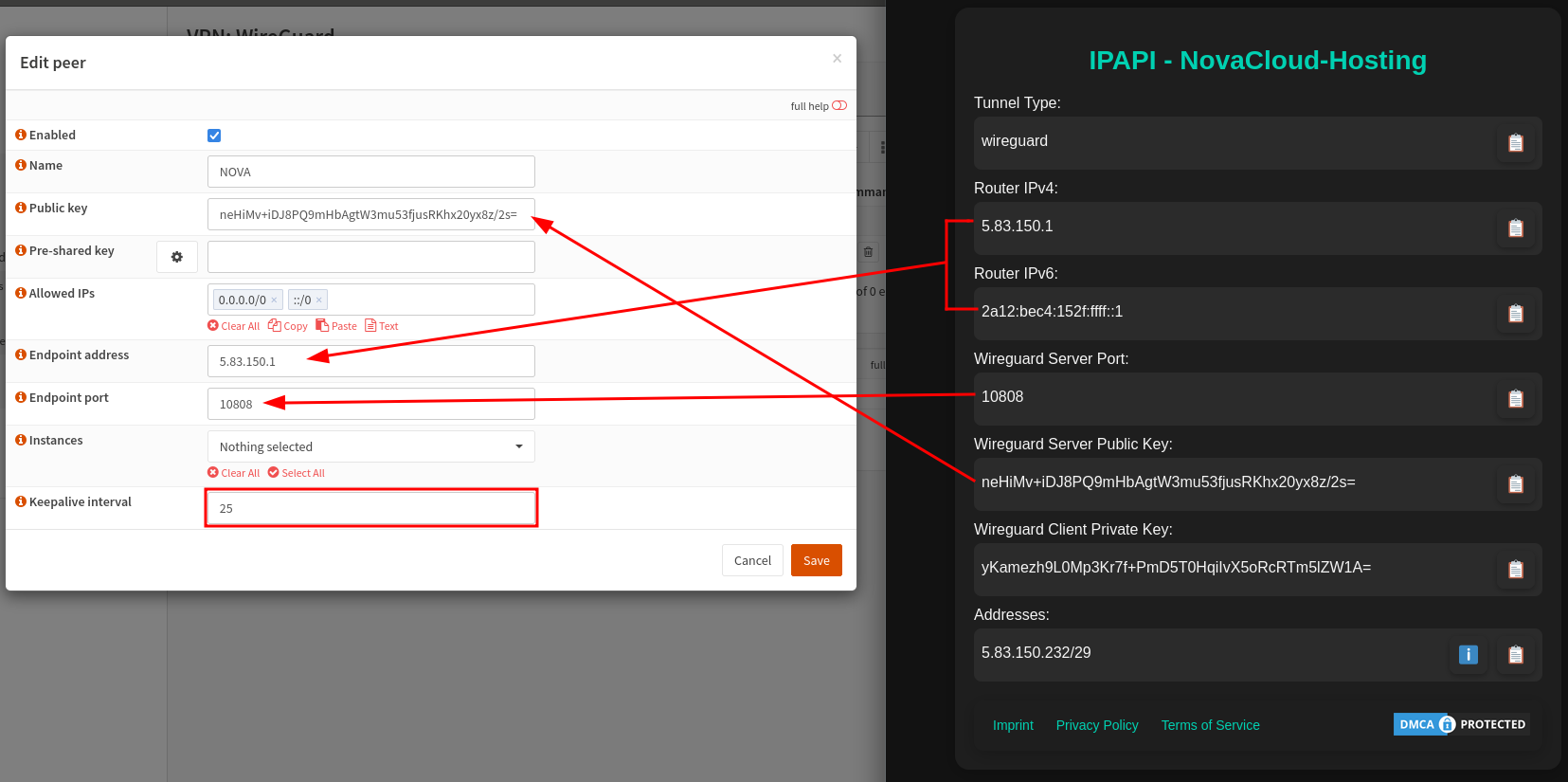
Allowed IPs:
0.0.0.0/0
::/0
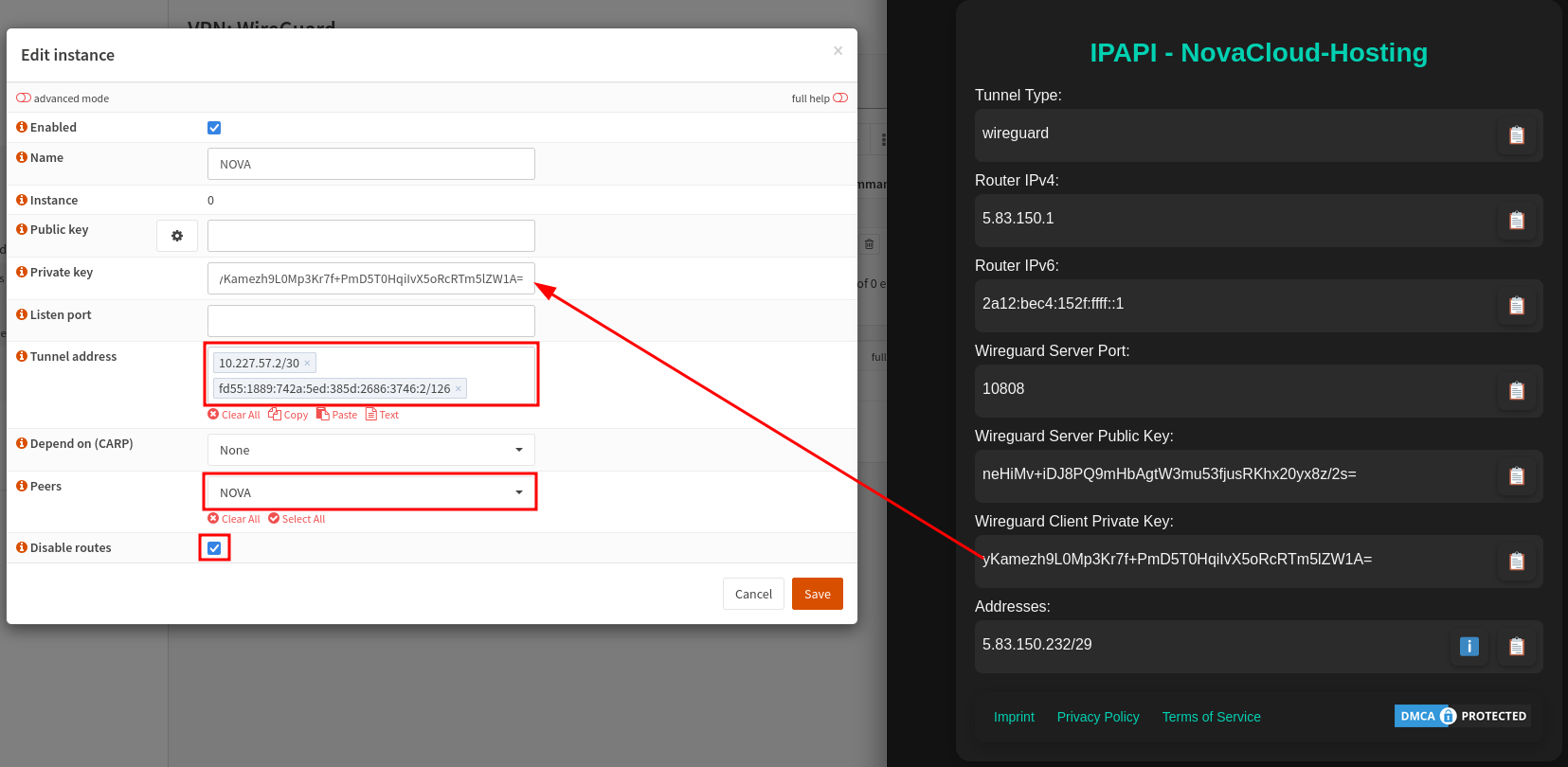
Tunnel addresses:
10.227.57.2/30
fd55:1889:742a:5ed:385d:2686:3746:2/126
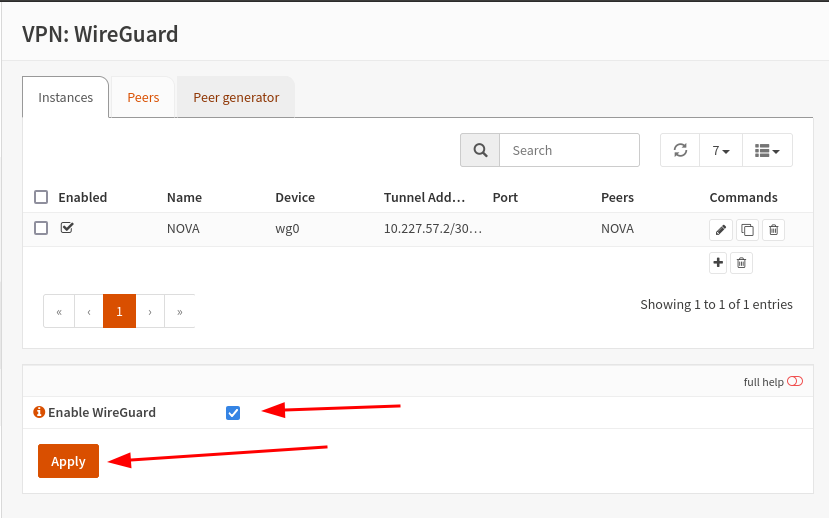
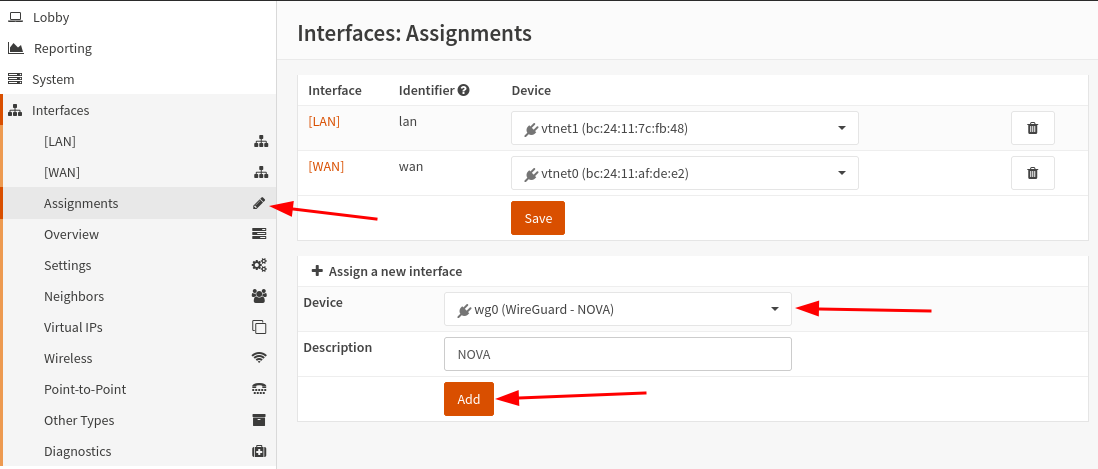
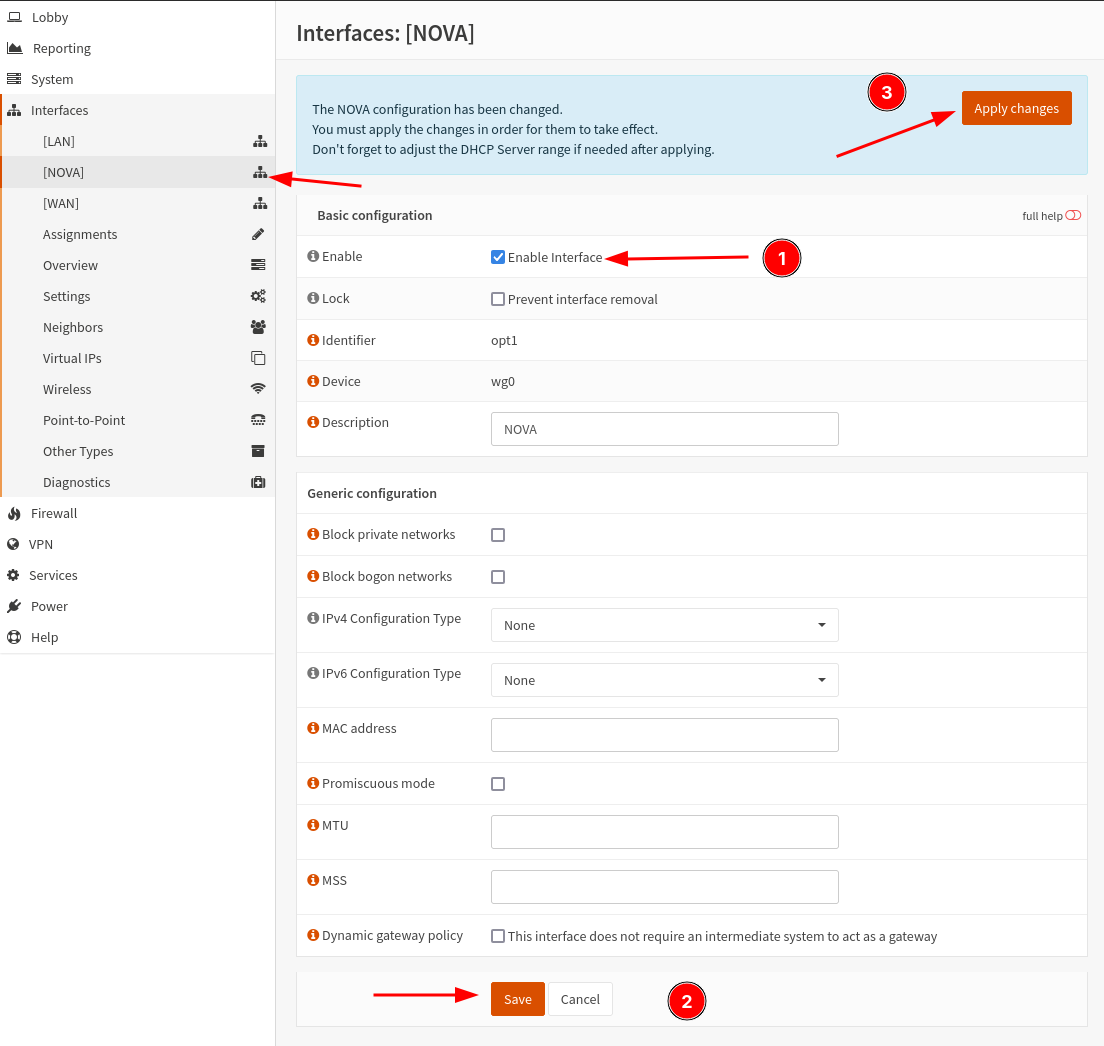
Assign the interface
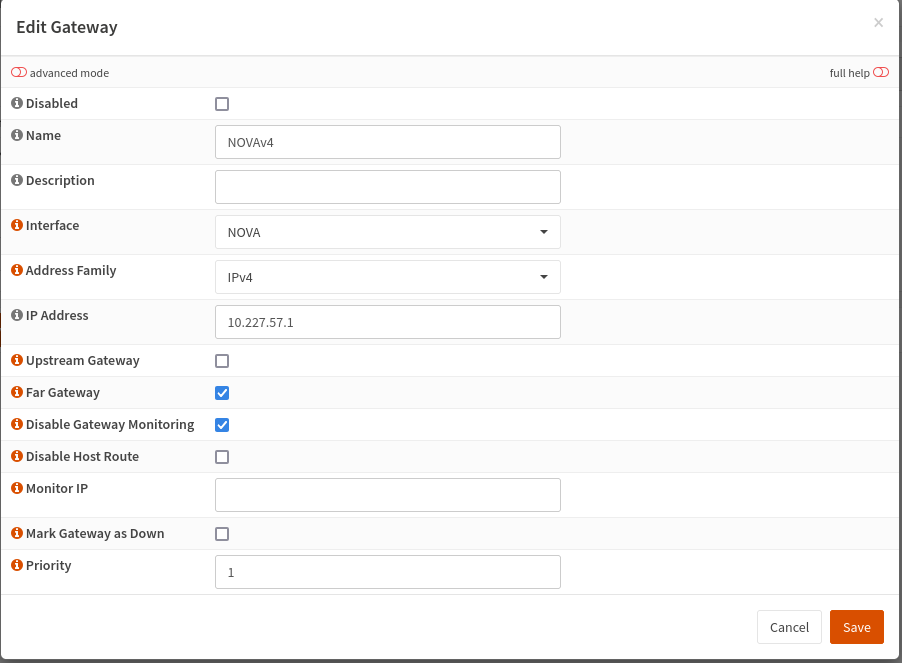
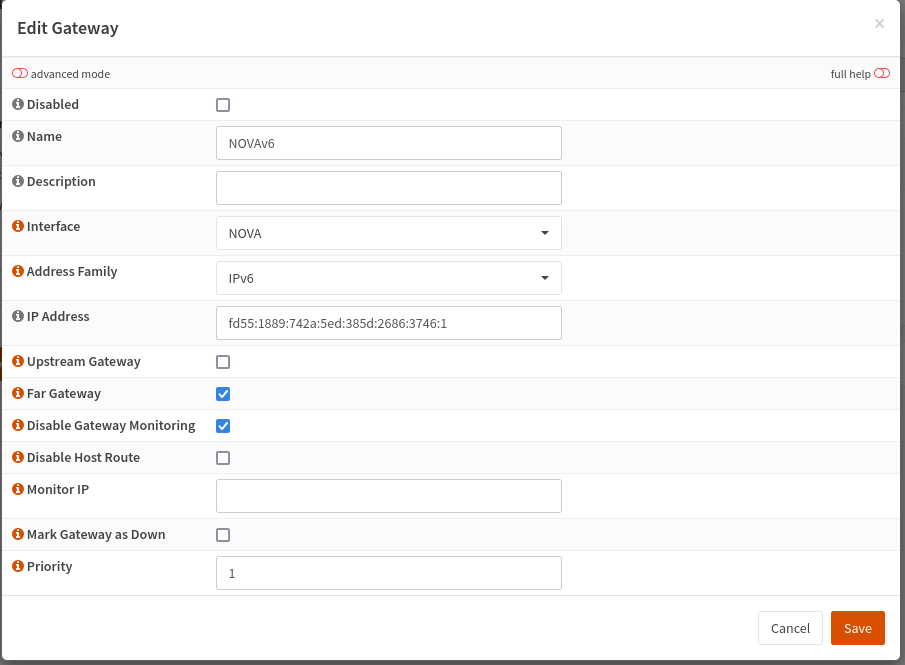
Create gateways
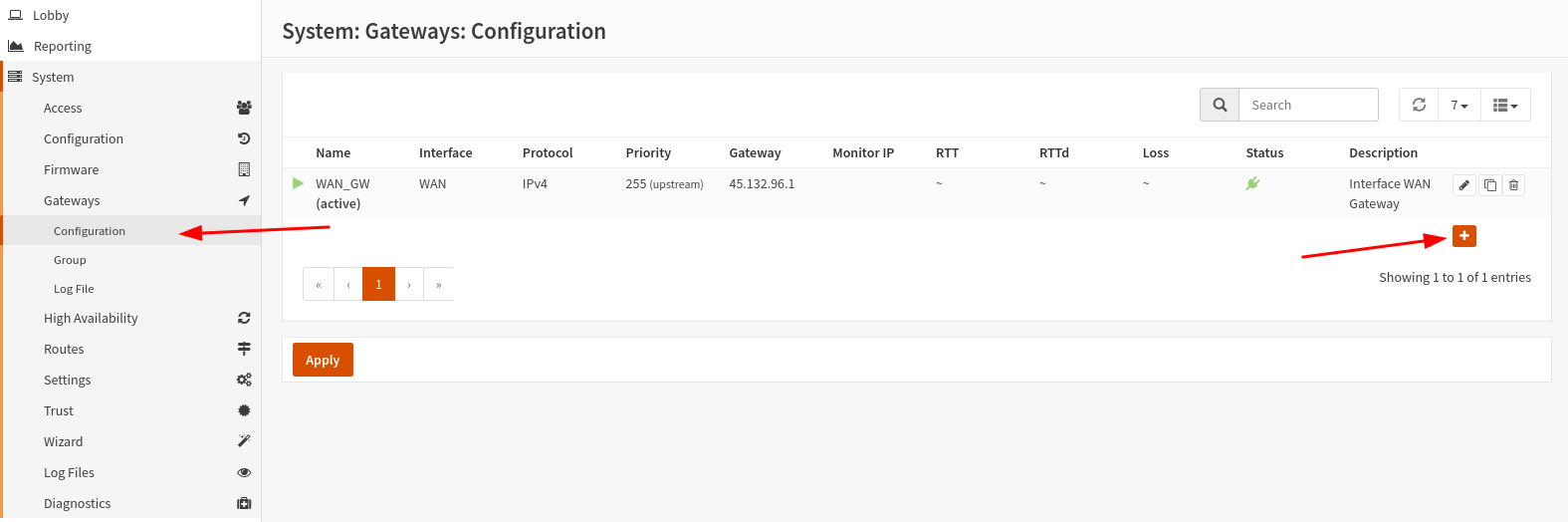
For IPv4:
10.227.57.1
For IPv6:
fd55:1889:742a:5ed:385d:2686:3746:1
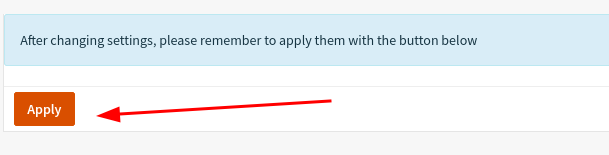
Apply the changes:
Set up the tunnel
Routed setup (recommended)
This method only works with IPv4 blocks of at least /29 in size!
Create a bridge:

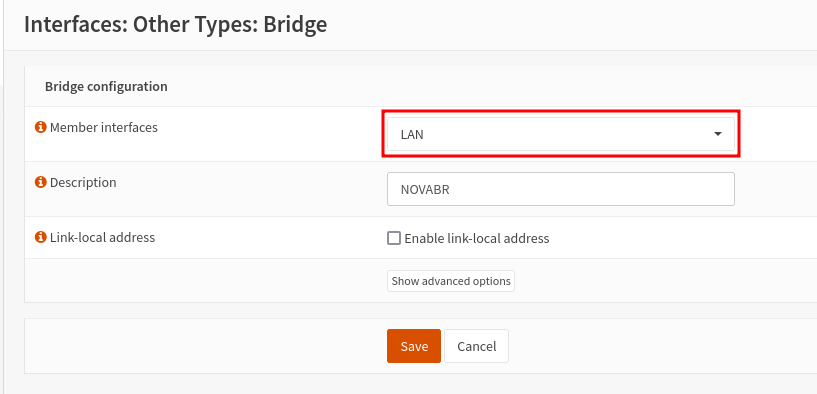
Select every interface into which you later want to route (use) the IPs. You can change this later.

Assign the bridge:
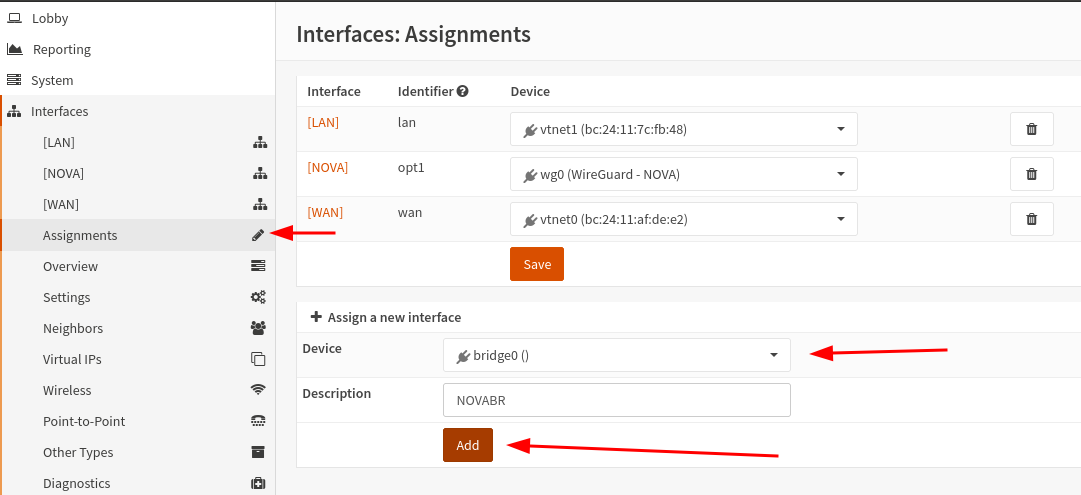
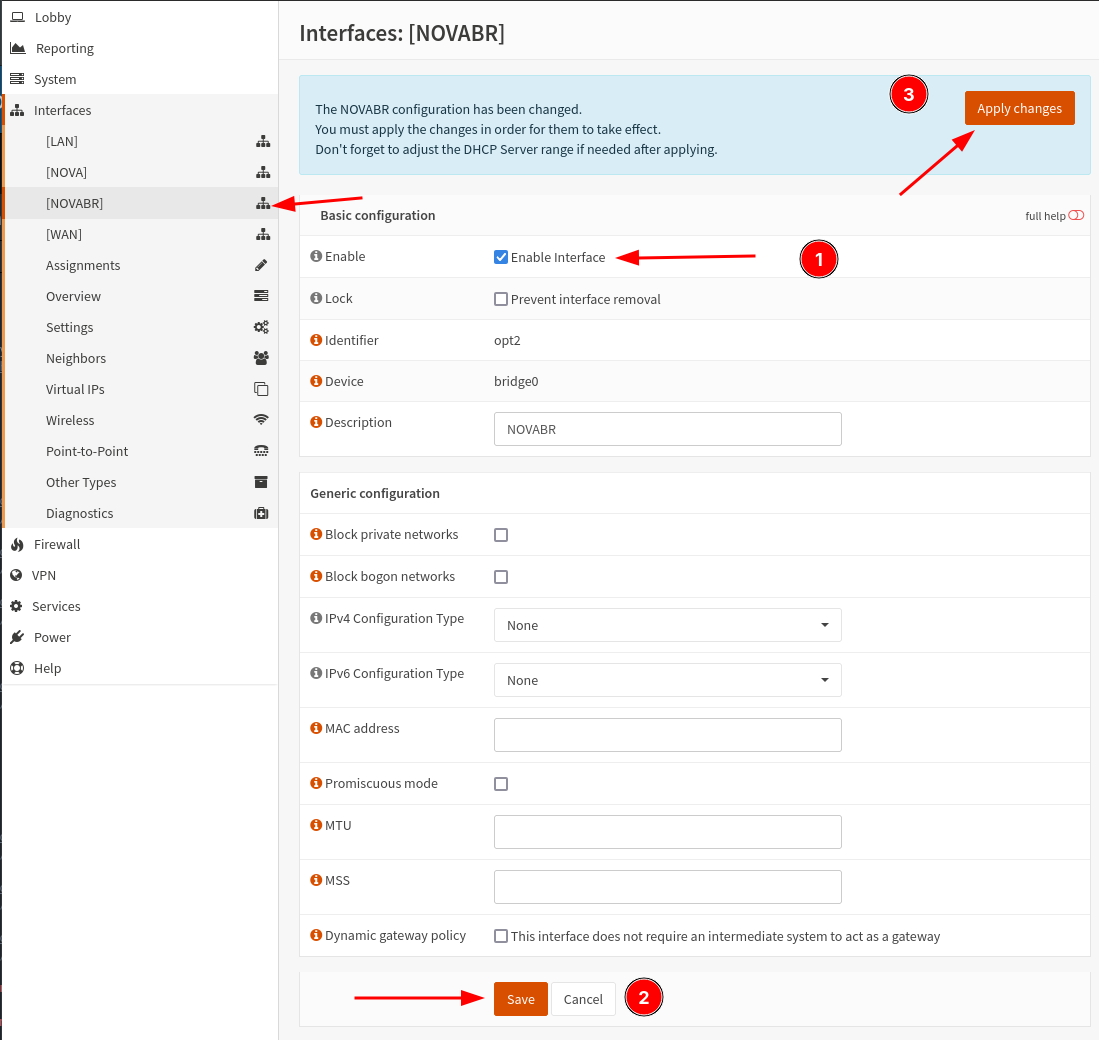
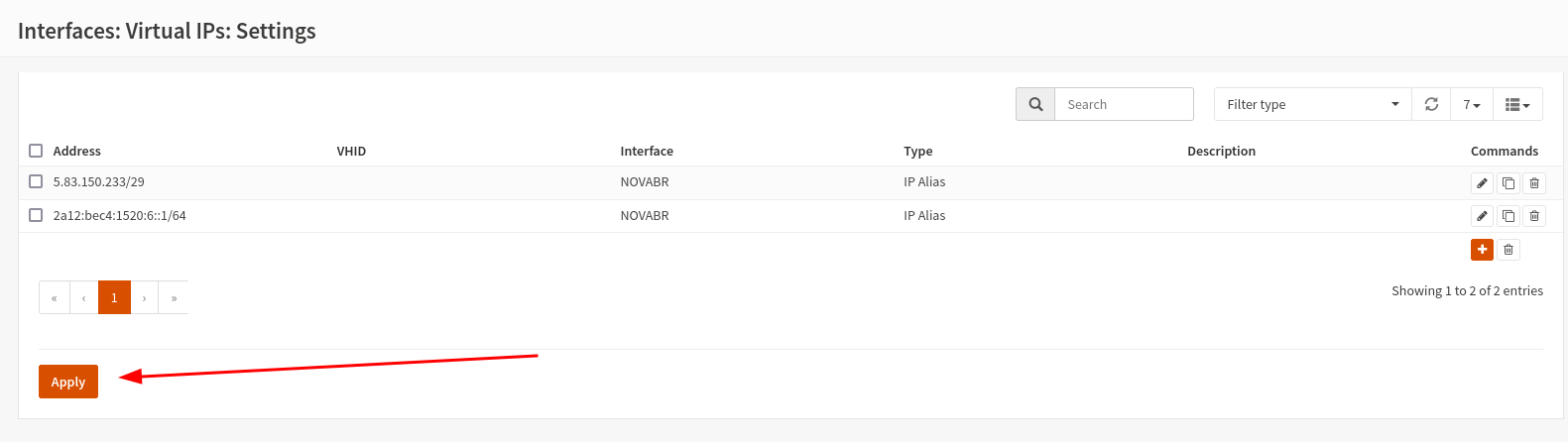
Route the prefixes:

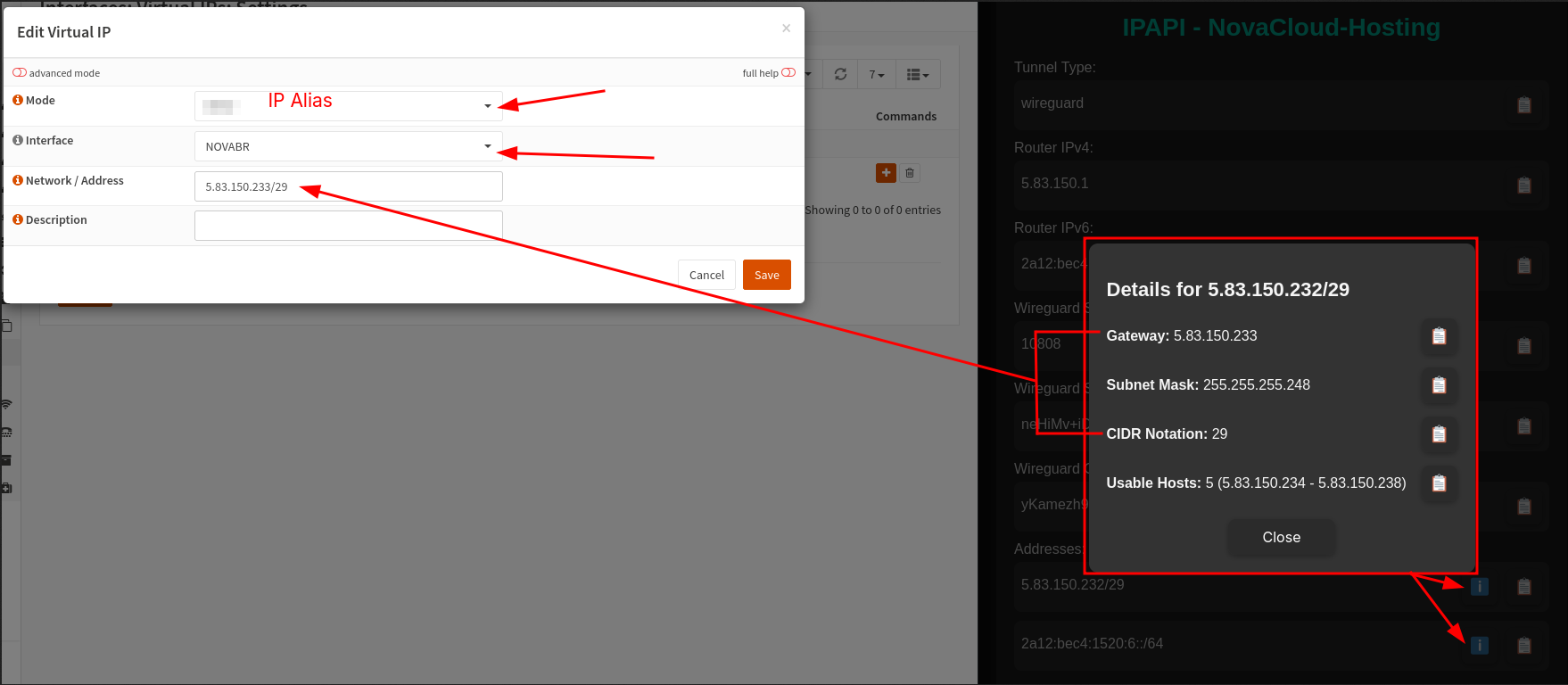
For each prefix, enter Gateway + /CIDR! You can get this info via the Info button!
Configure outbound firewall rules:
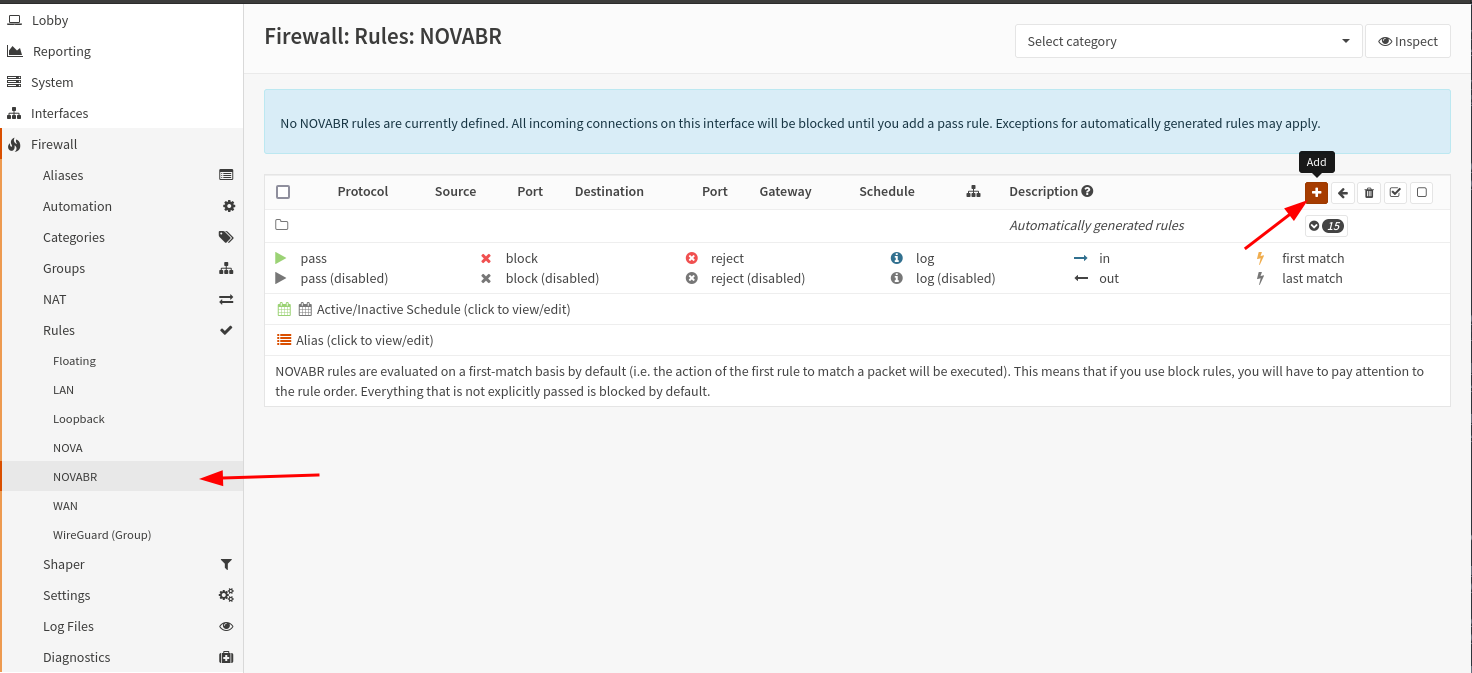
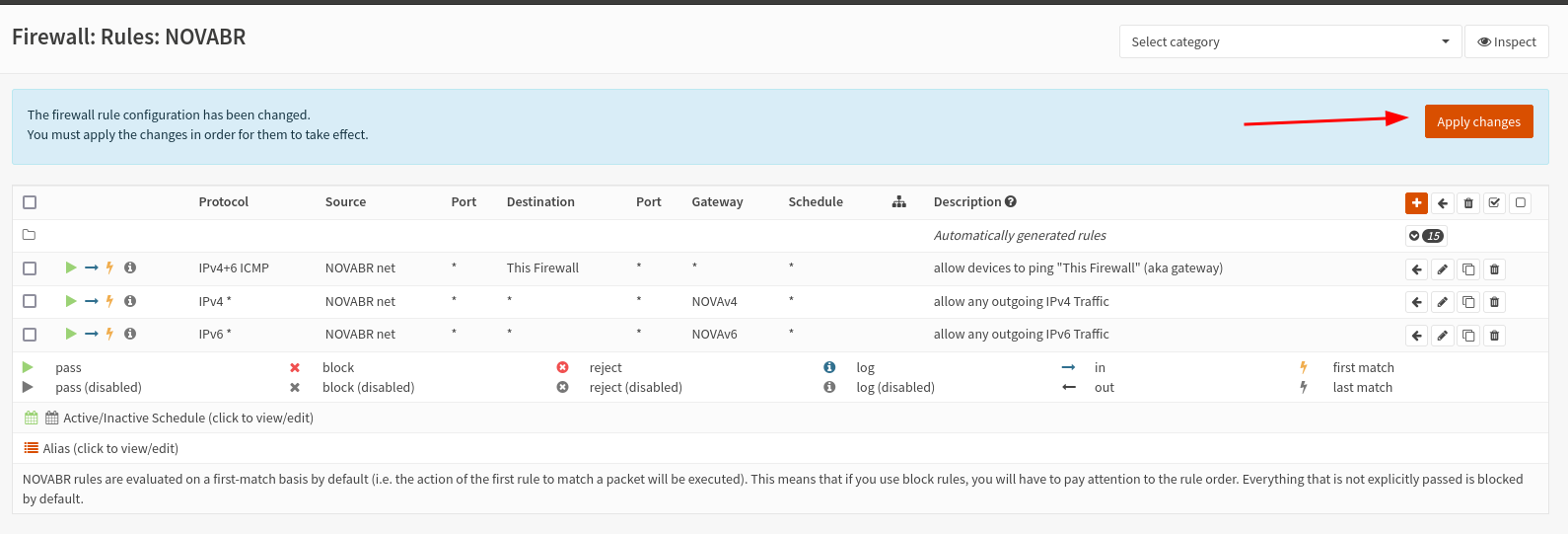
This way we allow any outbound traffic so that we can do everything on the internet. Nobody can reach the IPs from the outside yet.
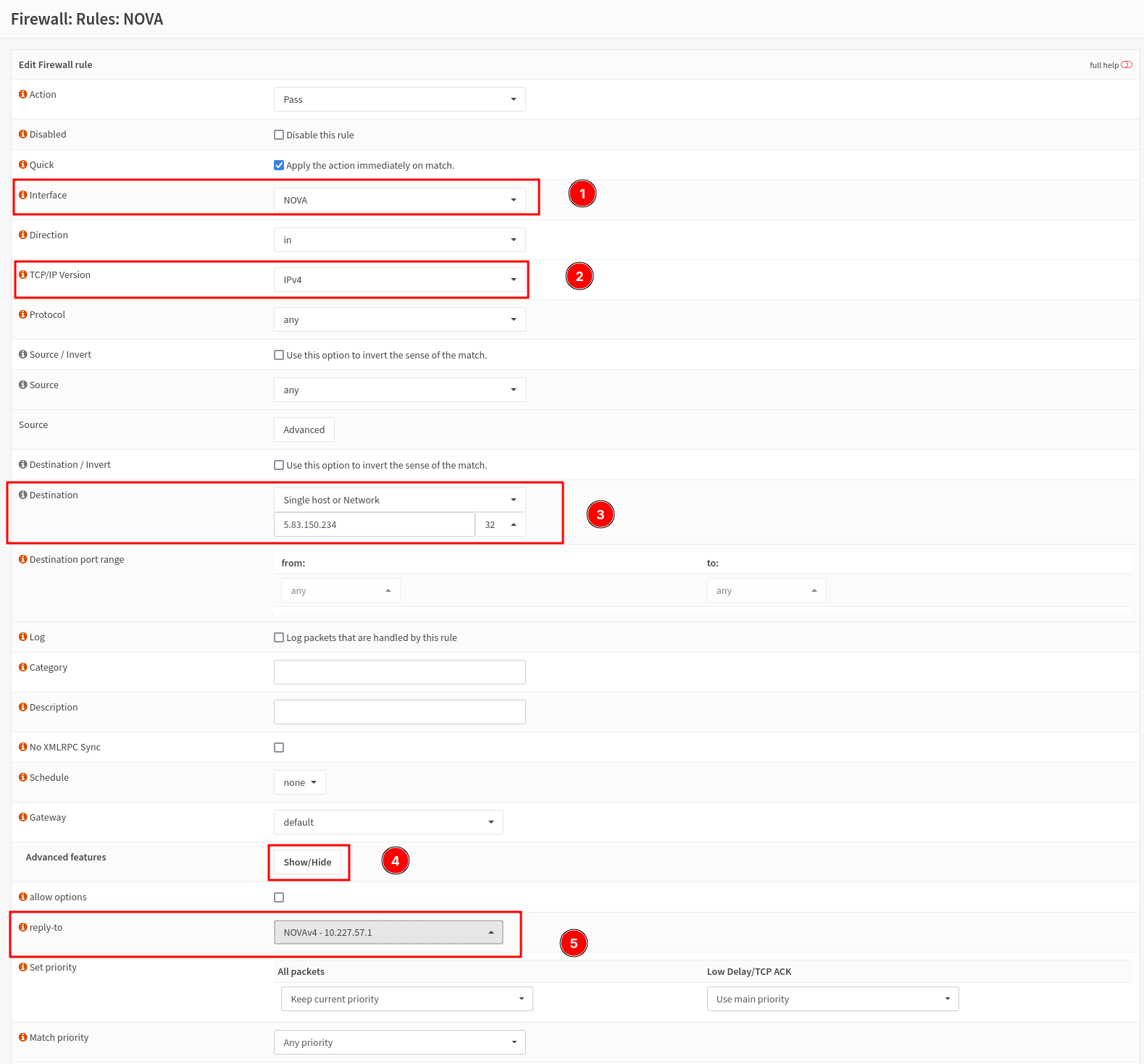
Configure inbound firewall rules:
Suppose we now want the IP ending in .234 to be fully reachable from the outside; then we create the following rule on the "NOVA" interface:
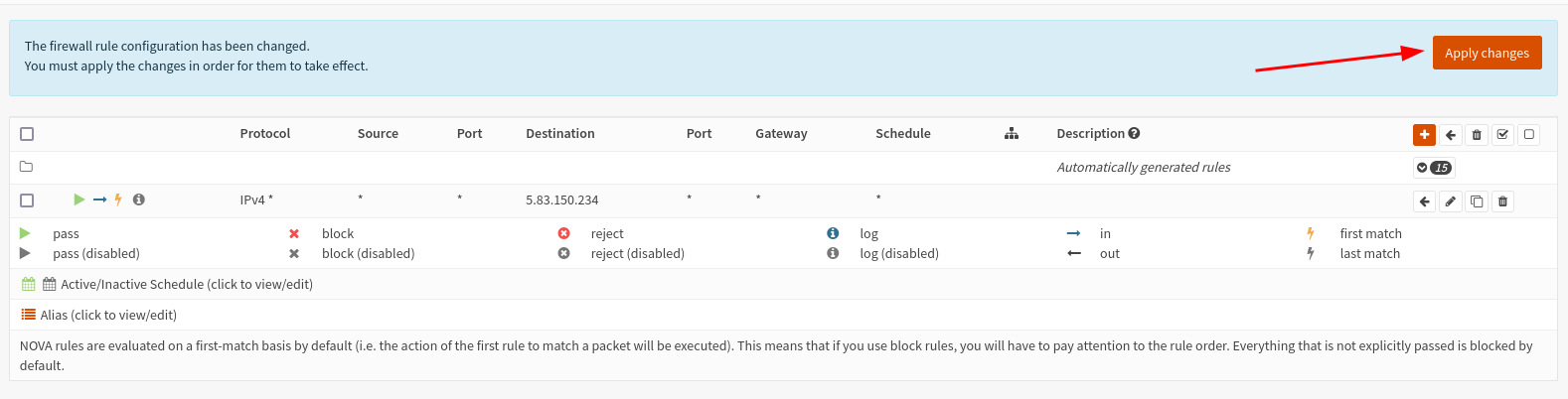
If we already have a device active on that IP, it should now be reachable from the outside:

However, devices sometimes have their own firewall, which must be either disabled or configured (Windows, etc.).
NATed setup
In Progress...