Installation
- Go to the Discord Developer Portal and create a new application.
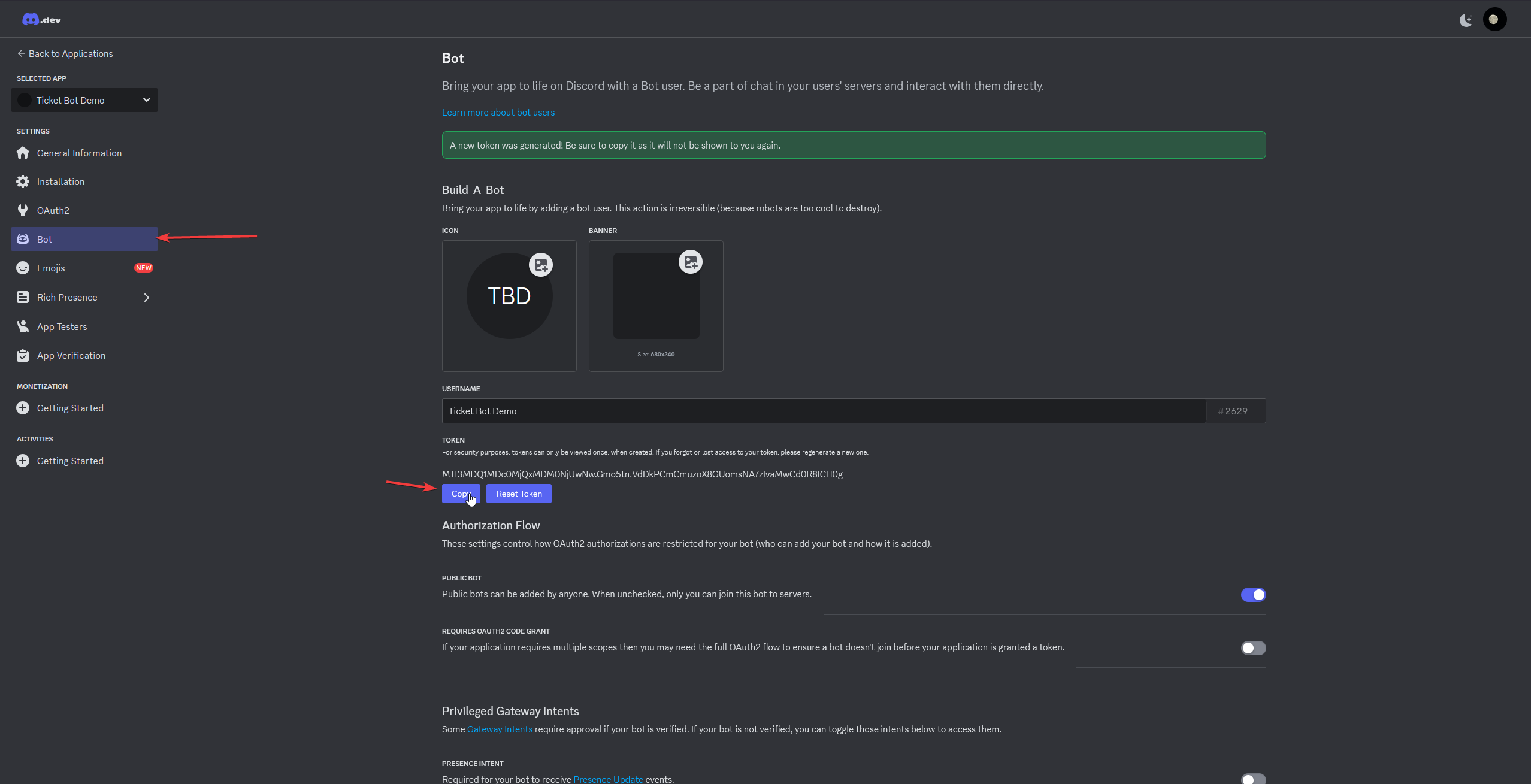
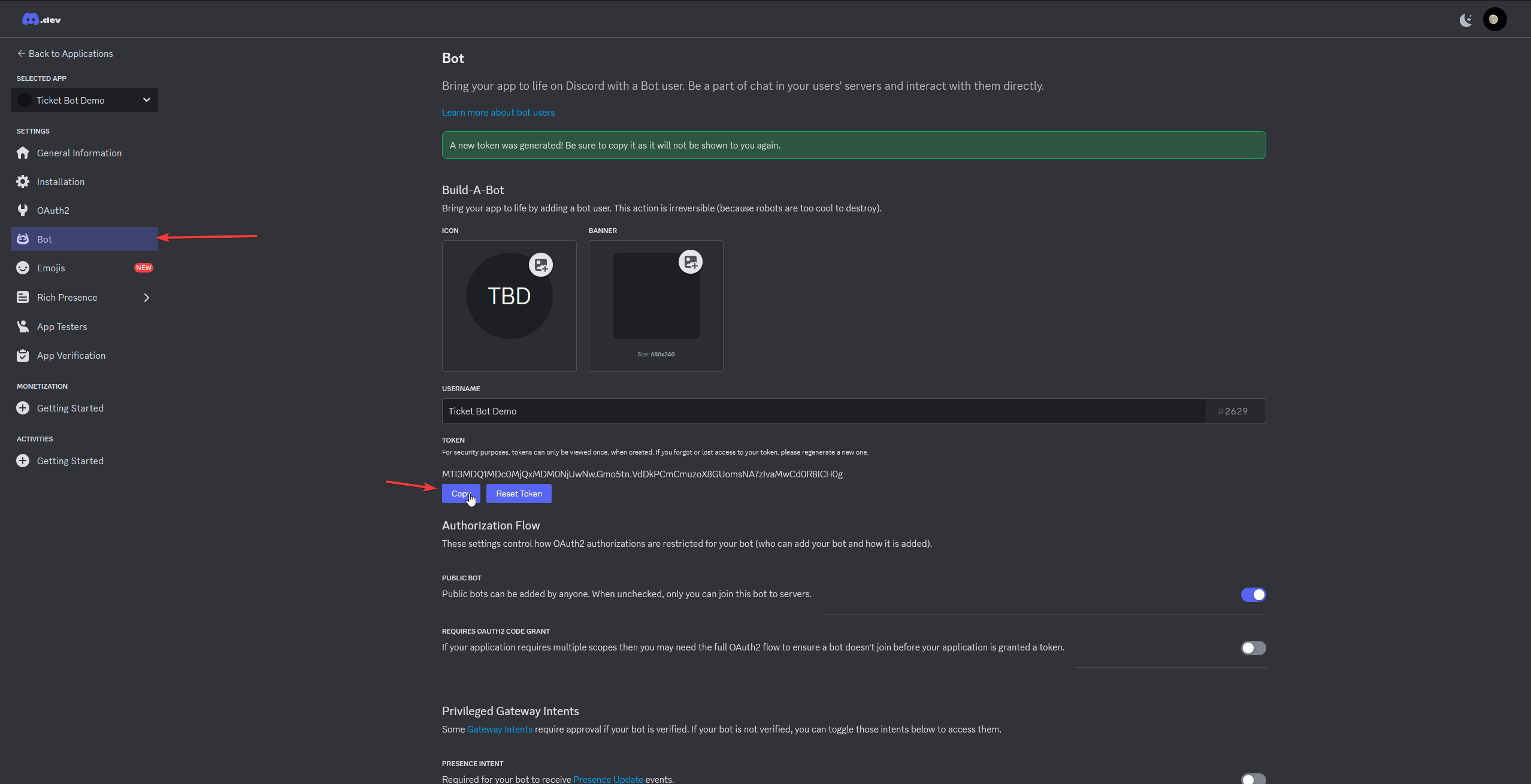
- Select "Bot" in the left navigation bar and copy the token.
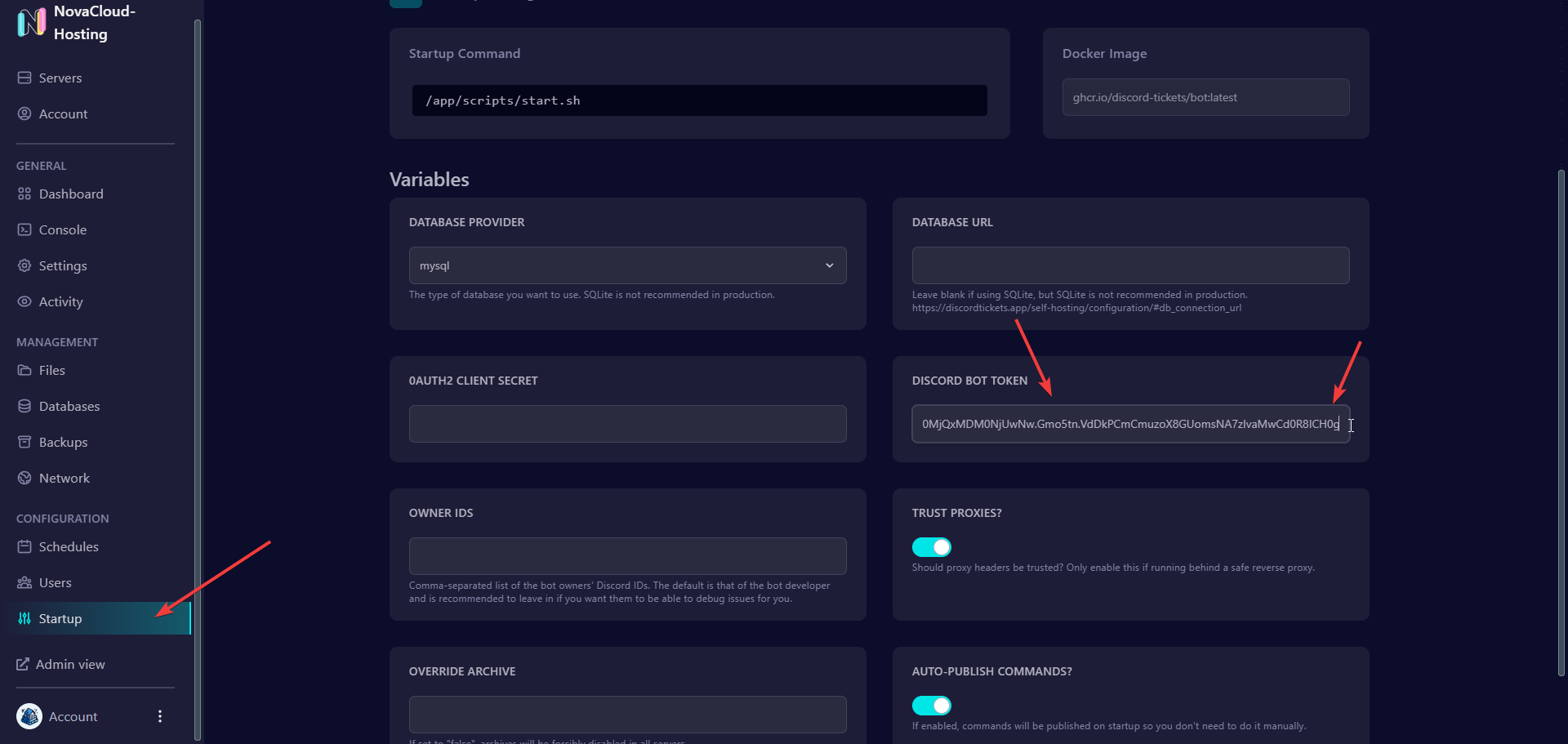
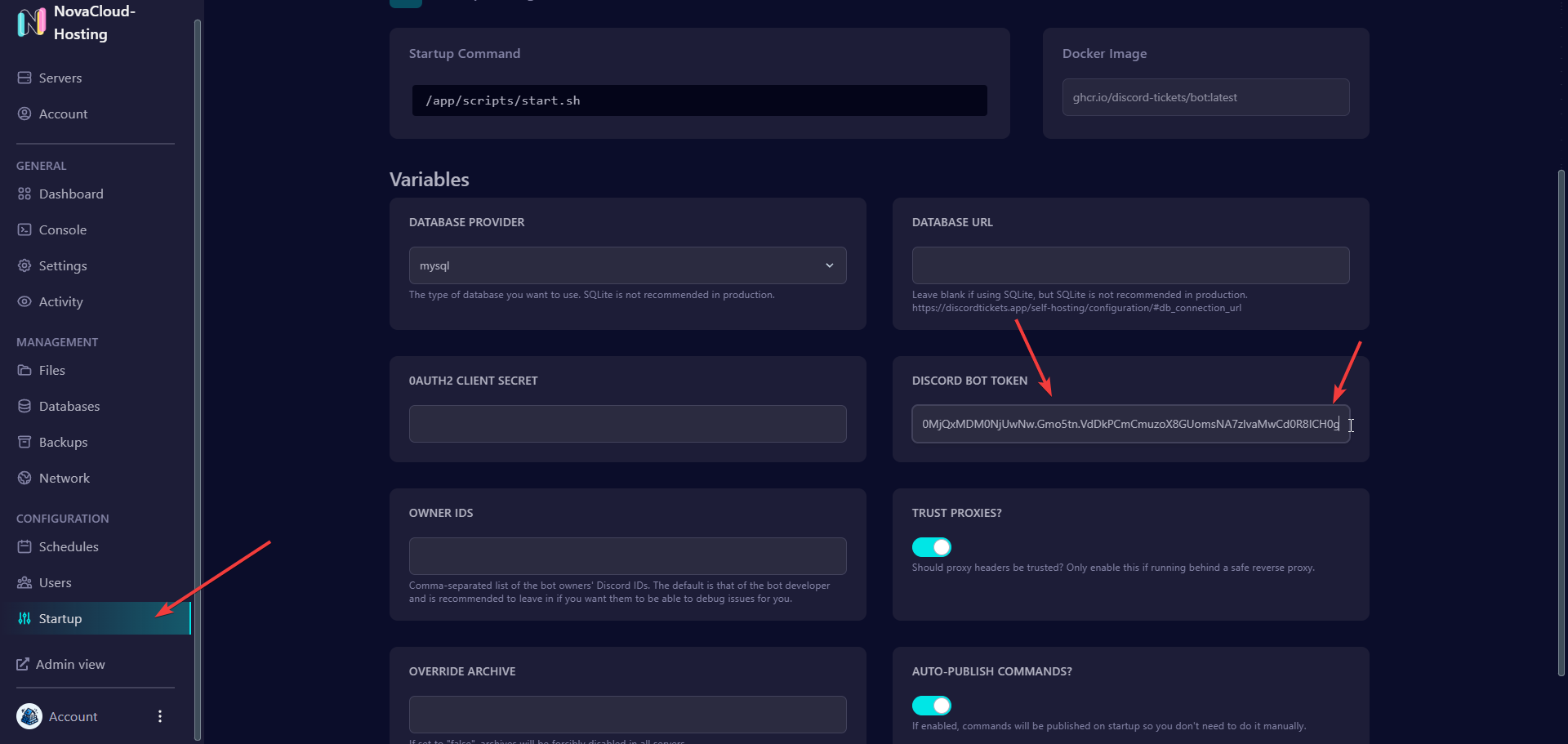
- Go to the Control Panel and paste the bot token under Startup
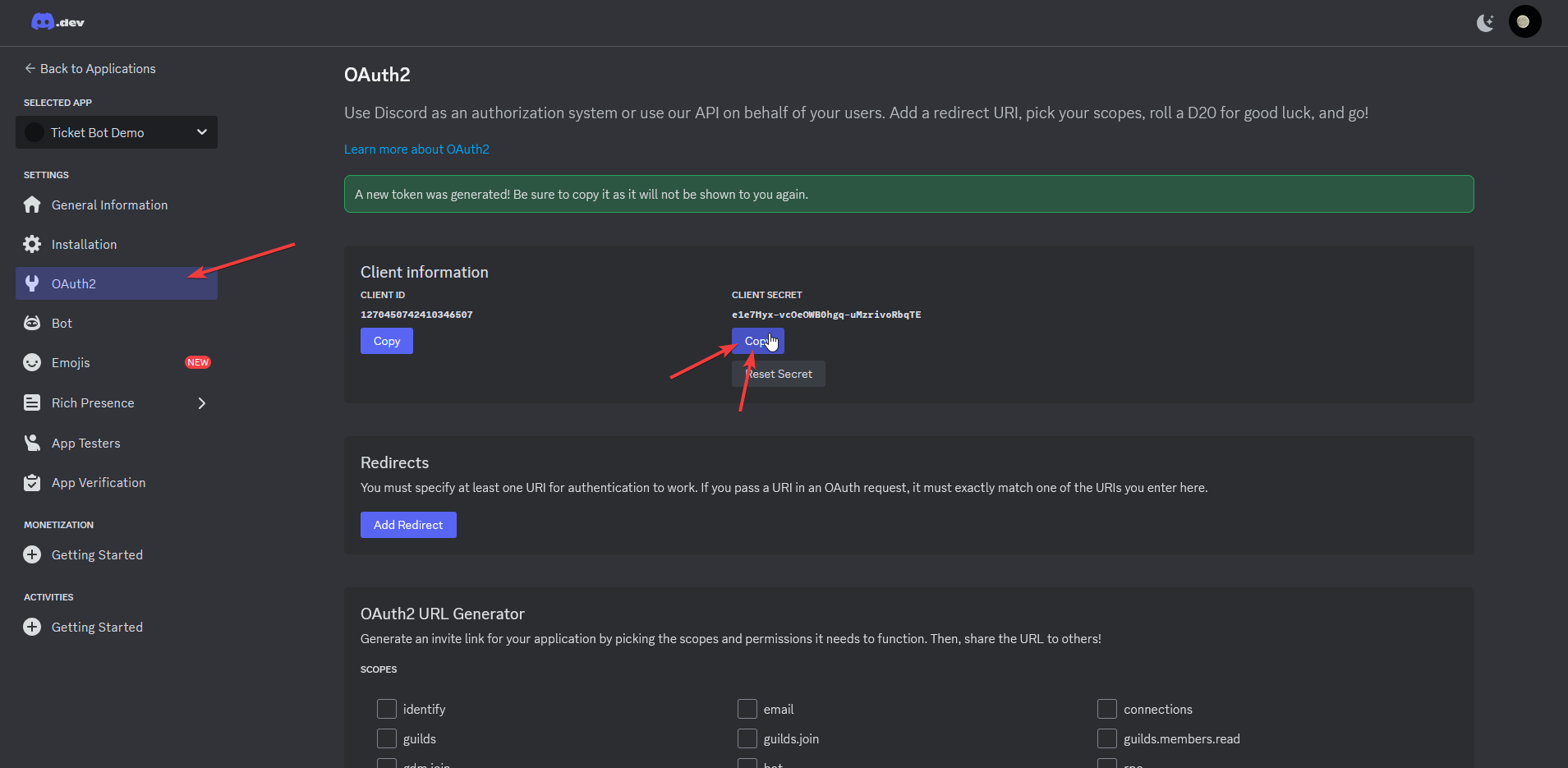
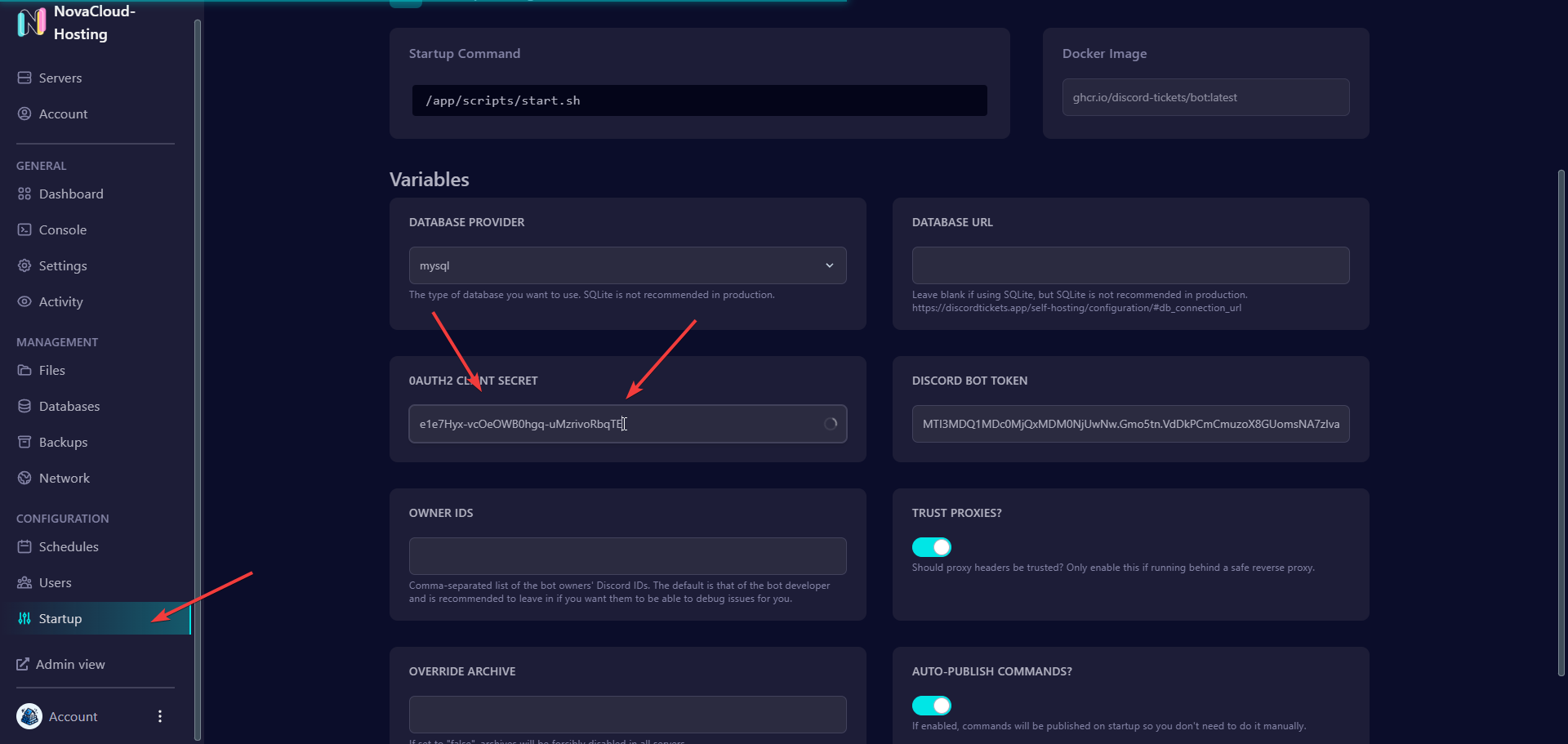
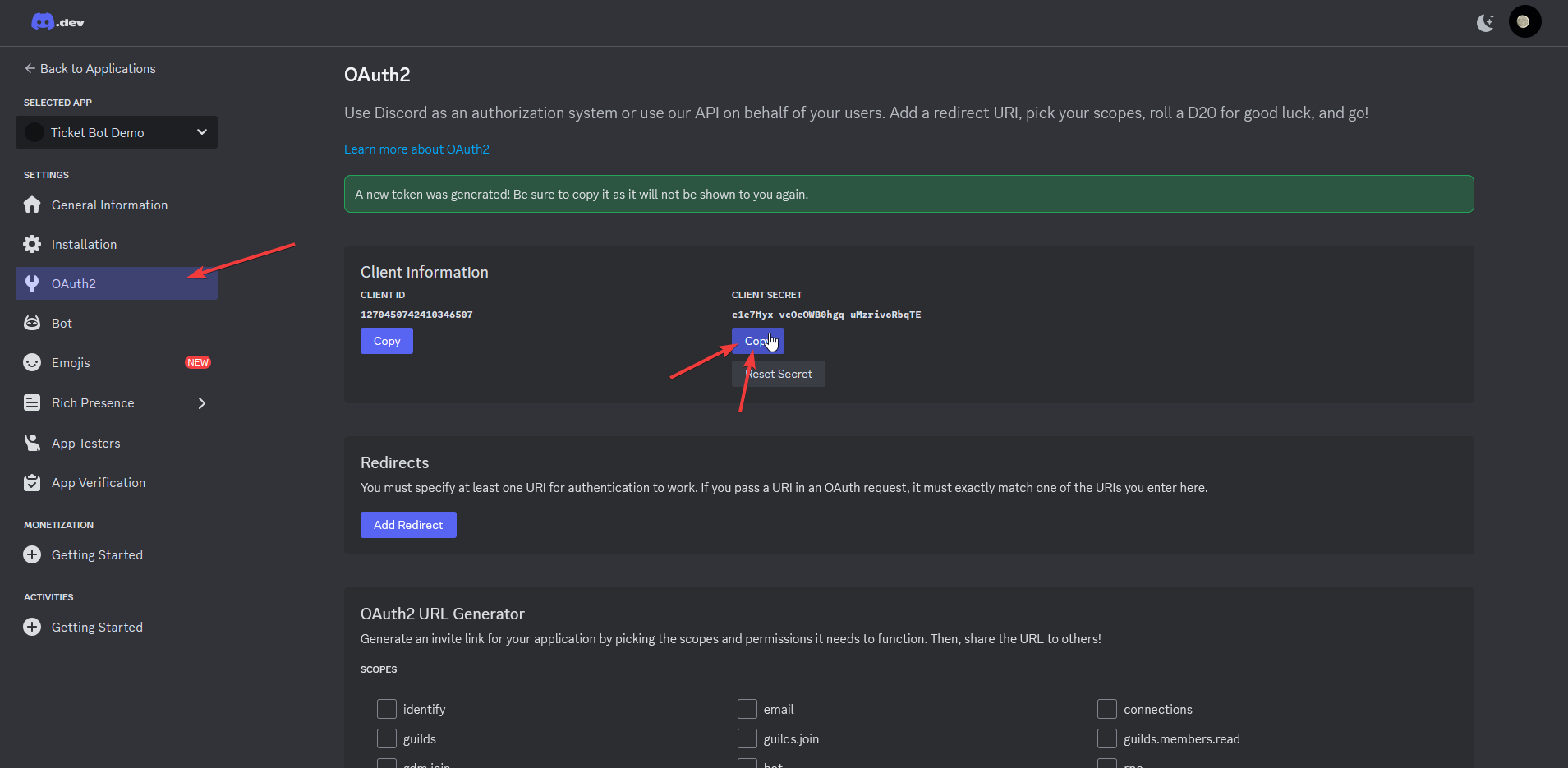
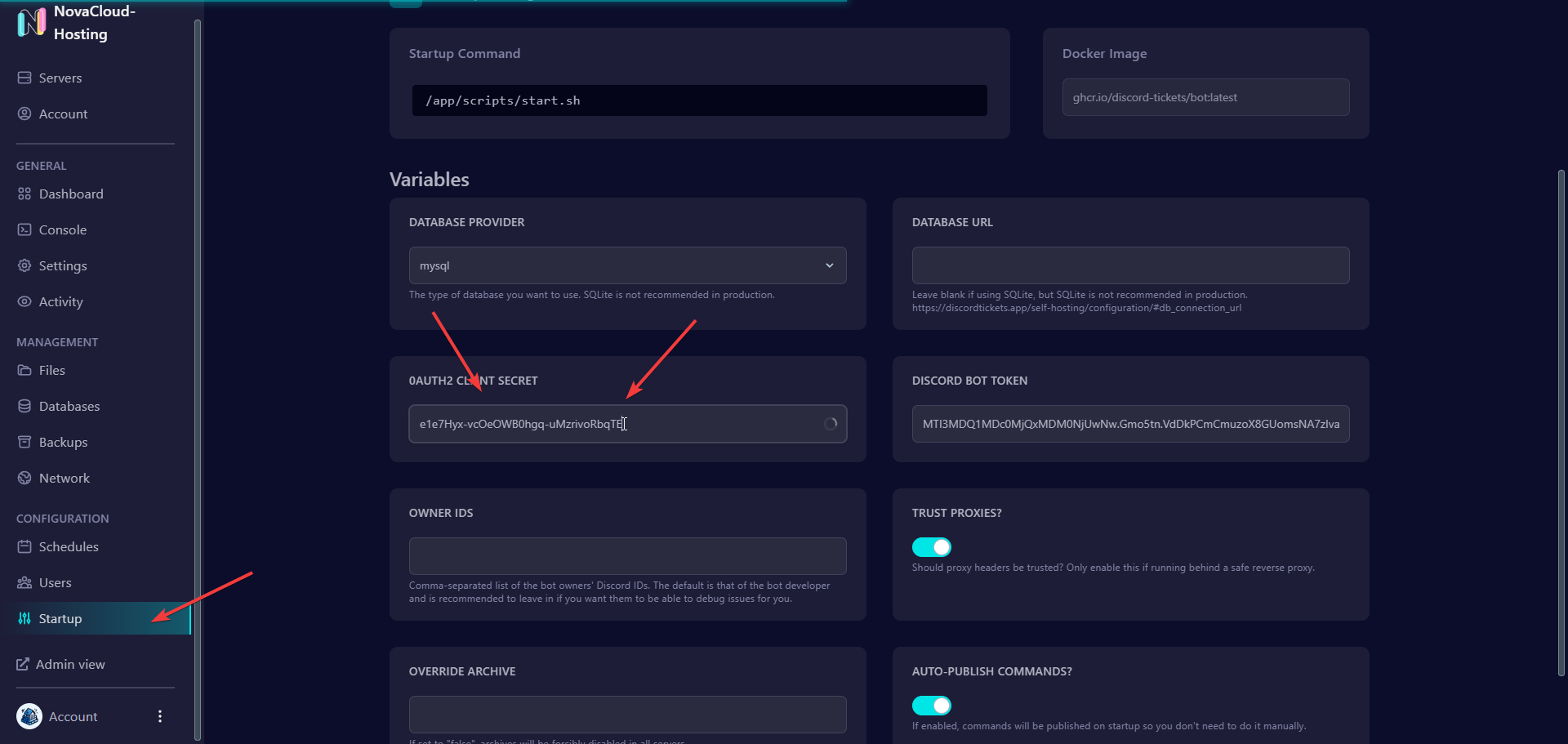
- Select "OAuth2" in the left navigation bar of the Discord Developer Portal, reset the "Client Secret", copy it, and paste the "Client Secret" into the Control Panel.
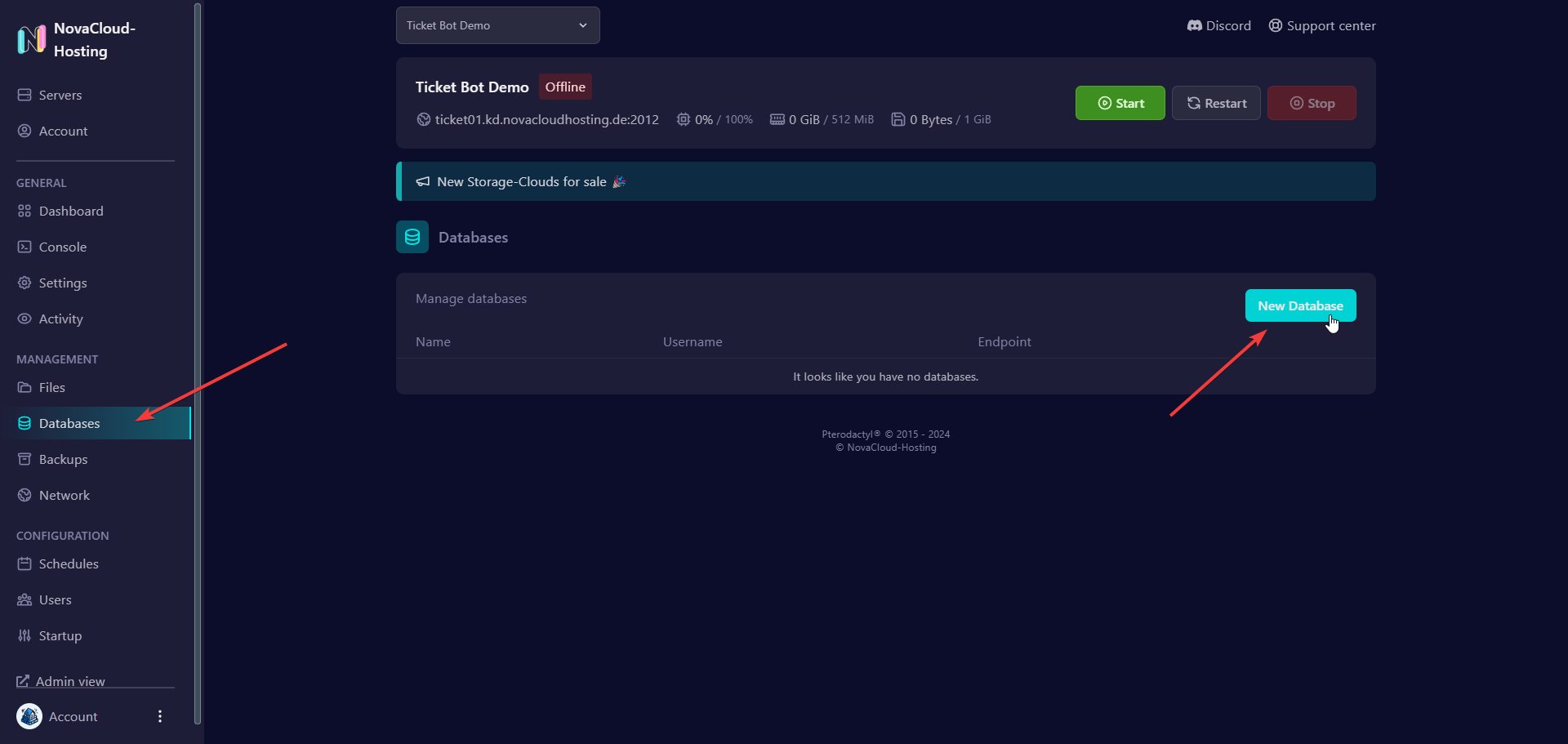
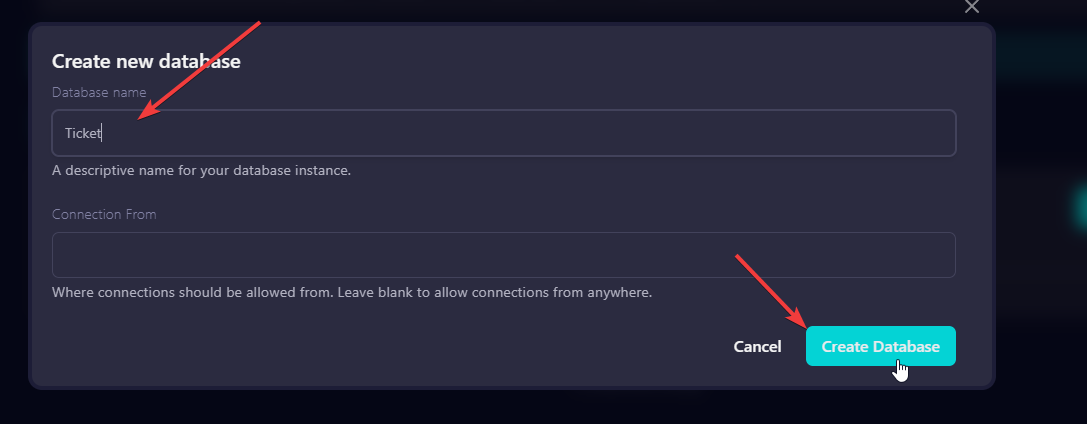
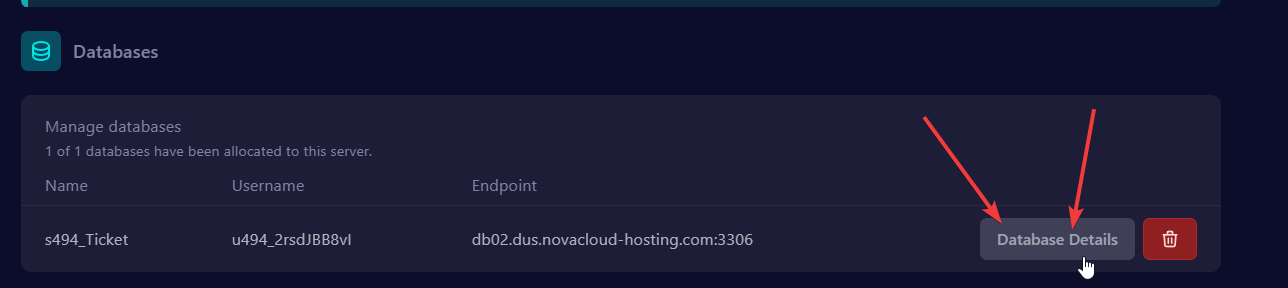
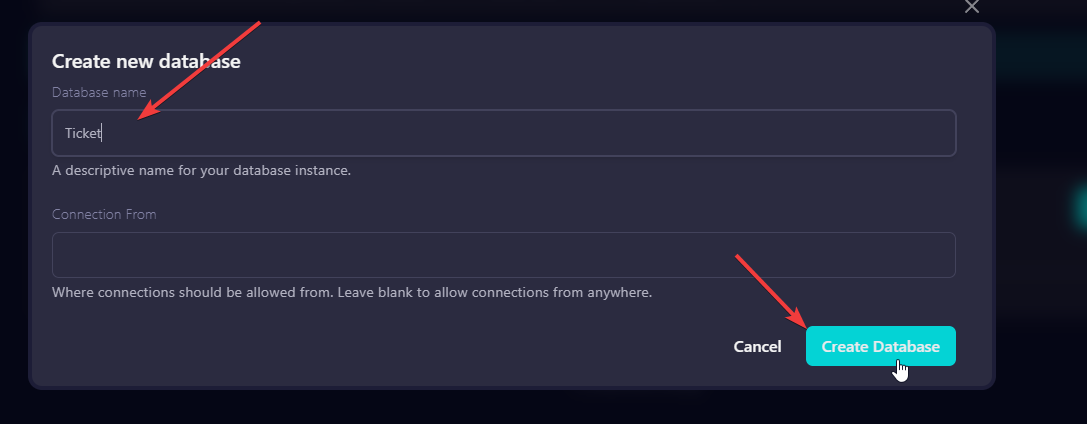
- In the Control Panel, select "Databases" and create a database

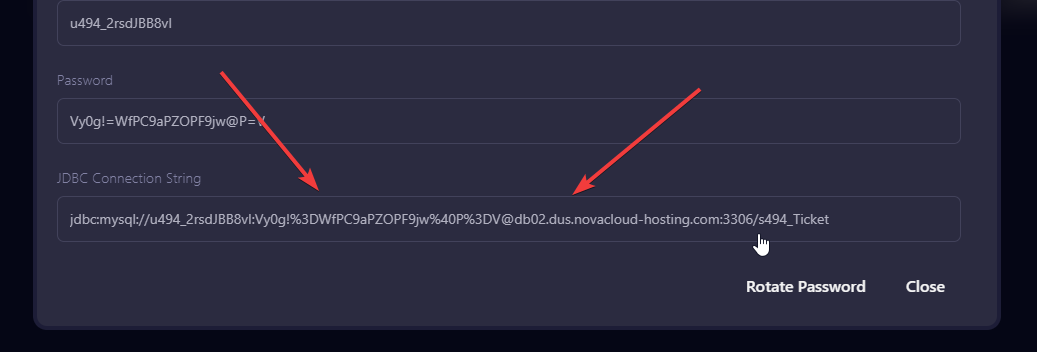
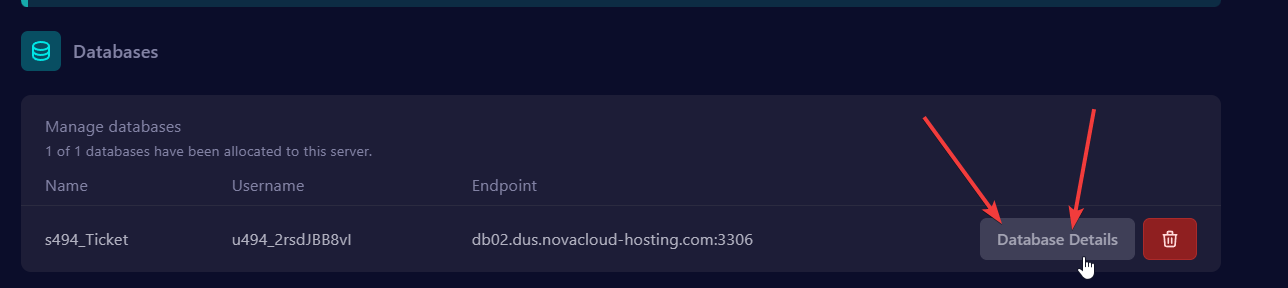
- Copy the database's "JDBC Connection String".
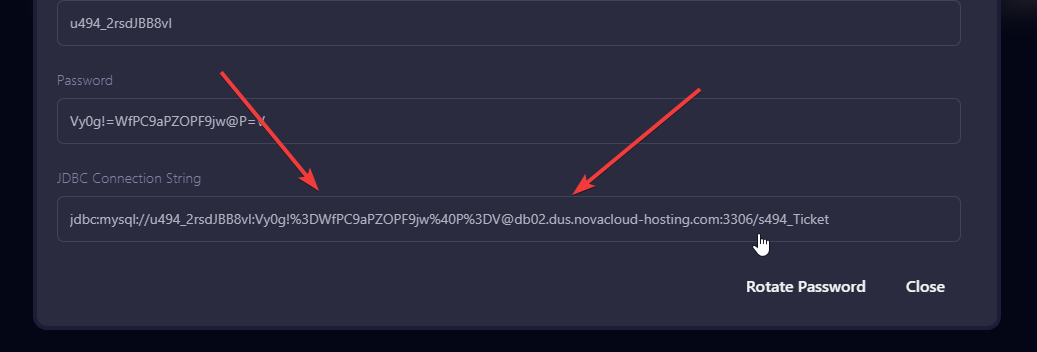
- Now paste this connection string into the "Database URL" field and remove the leading "jdbc:", otherwise the bot cannot use it and will crash.